
Voice API Platform WebRTC
Turn any browser into a Voice and Voice AI endpoint
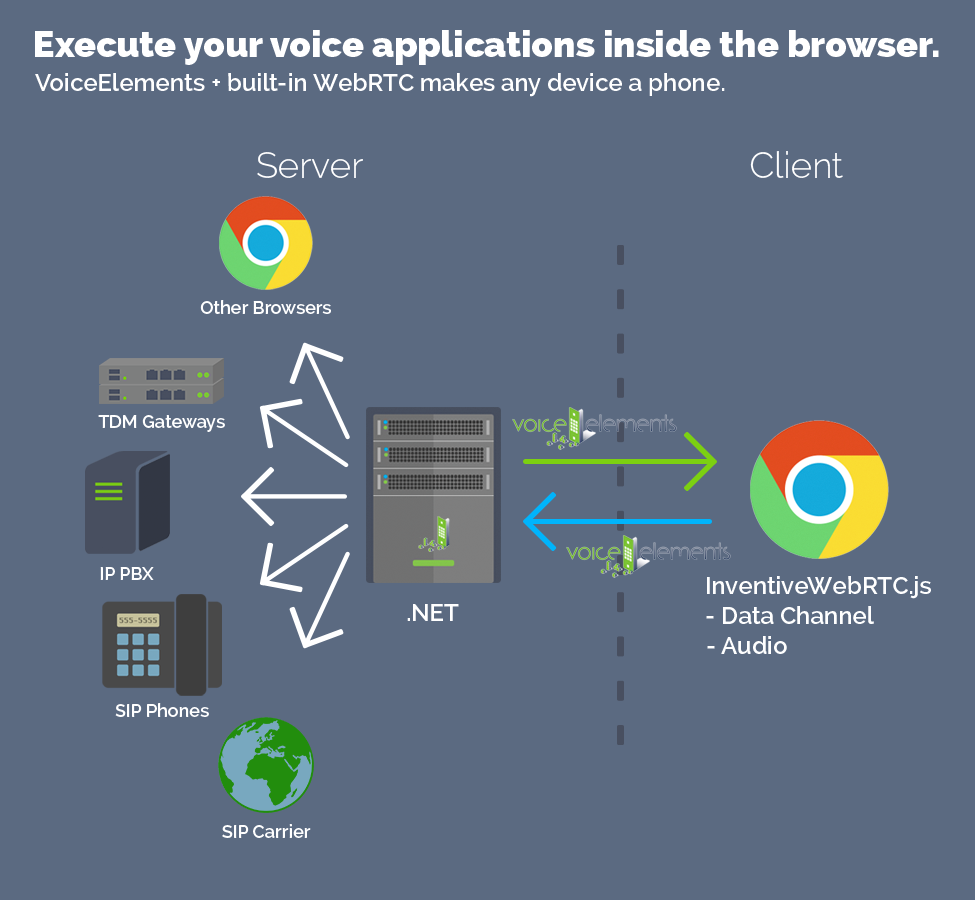
Your Browser is your Phone
Connect your browser to the Voice Elements platform to make, receive, and control calls just like a desk phone — or as the front end for your Voice AI agents.
Work Anywhere
A great example of a WebRTC application is a Call Center Agent who could work anywhere without installing a thing — a critical element in today’s workforce solutions.
Pair browser‑based agents with Voice AI assistants to share the workload, automate routine calls, and keep your team productive from anywhere.
Flexible Connections
Your Browser Phone can connect to other Browser Phones OR to land lines and cell phones OR to your PBX OR to any SIP carrier or device.
You can route calls between browser phones, the PSTN, your PBX, SIP carriers, and even your Voice AI applications — we handle all of the translations.
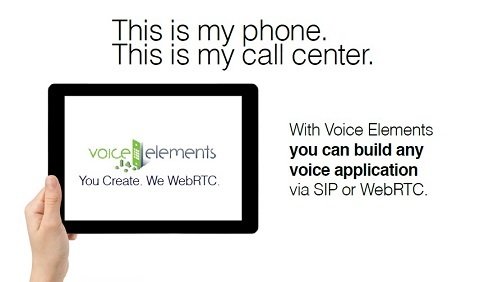
Tablet = Phone App
Voice applications from Toll Bypass, Call Center apps, Virtual Employee apps, sophisticated IVRs, Voice AI agents, locator apps, and much more.
Our powerful SIP platform and programmable .NET API now supports WebRTC. Built right into our included SIP stack, is a bridge that connects WebRTC to SIP, enabling voice applications built with Voice Elements to make and receive calls using WebRTC.
So simple — yet crucial for today’s workforce solutions and Voice AI experiences.
Try our WebRTC Demos
These WebRTC demos show how a browser can act as the phone endpoint for your IVRs, dialers, and Voice AI‑powered workflows.
1. The Basic IVR application demonstrates how to program basic connectivity between your WebRTC-capable browser and the Voice Elements Platform Media Server.
2. The Basic Authentication application demonstrates how to program an authentication challenge between your WebRTC-capable browser and the Voice Elements Platform Media Server.
3. Our Skip Drop Dialer application shows how to build a simple dialer application using WebRTC.
Also check out these docs on HOW TO GET STARTED:
WebRTC – Getting Started | Voice Elements
Getting Started with WebRTC | Voice Elements

How does it work?
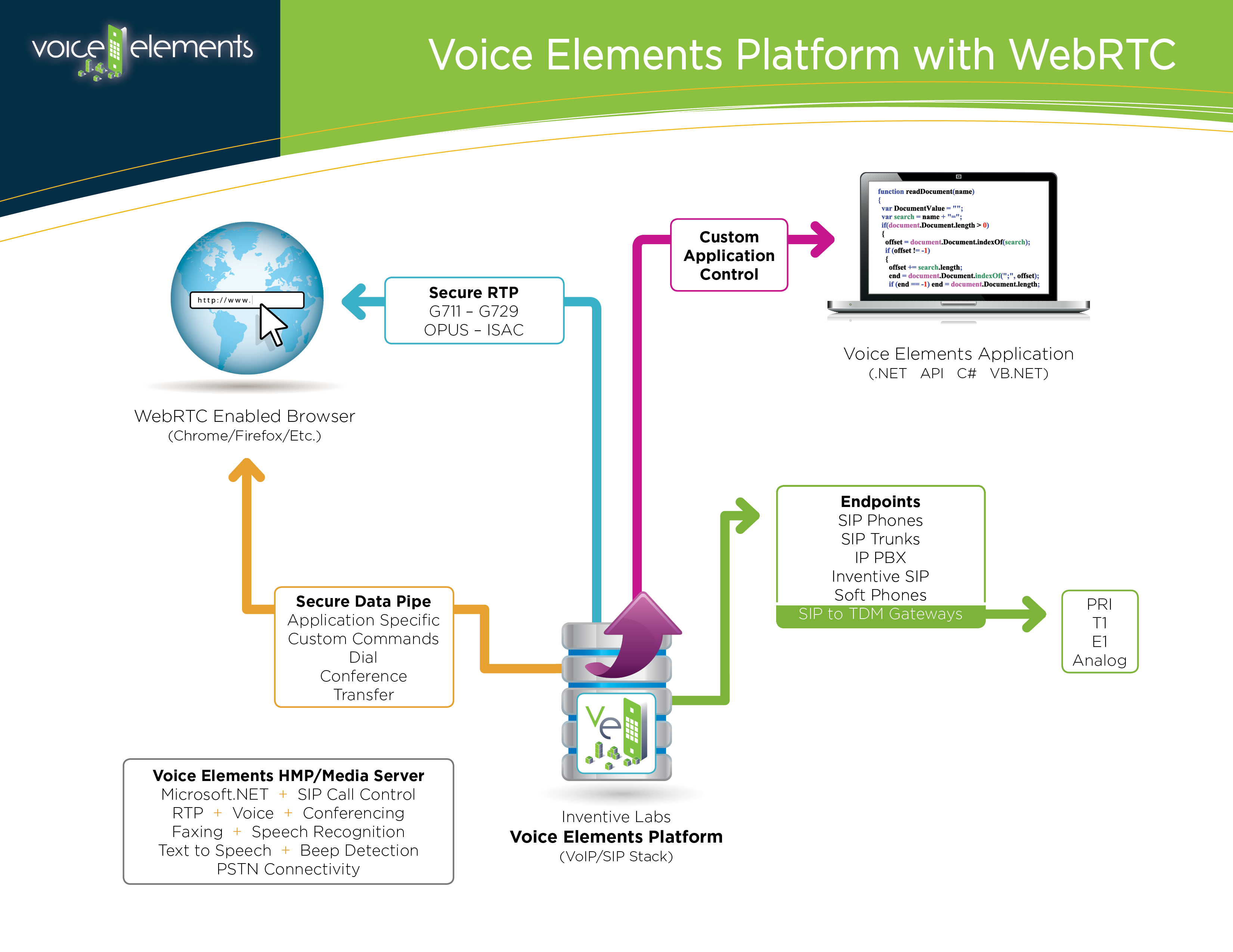
Voice Elements has WebRTC functionality built in. In a nutshell, Voice Elements allows the browser to connect directly to it. This means that you have all of the functionality that you would have in a typical Voice Elements application allowing you to do things like record calls, conference users, dial out, transfer, etc. You can also use the same model for Voice AI, streaming audio between the browser and your AI services to power real‑time, conversational agents.
When a web browser connects to Voice Elements, it creates a WebSocket connection between it and Voice Elements. This allows your web application to send and receive commands directly to and from Voice Elements. These commands are then forwarded to your Voice Elements app, which can implement anything from simple call control to complex Voice AI logic.
These commands are then forwarded to your Voice Elements app, allowing the browser to control features in your Voice Elements app. For example, let’s say you wanted to mute an employee on a WebRTC conference call. Your browser application sends a mute command, Voice Elements processes the command and forwards it to your Voice Elements application which receives it and mutes the employee.
Create WebRTC Voice Apps with .NET
All of the impressive array of features in Voice Elements are available to you in WebRTC, including the building blocks for Voice AI such as speech recognition, TTS, and real‑time audio streaming to your AI stack. Learn More!
This includes RTP Presence for WebRTC. In other words, connect WebRTC to the PSTN. We support all the WebRTC Codecs: G.711, OPUS, ISAC over SRTP etc. In addition, the data channel has been enabled which provides a rich interface between a browser-based application and Voice Elements.
The applications are limitless — from browser‑based softphones and call centers to full Voice AI agents that run entirely in the browser and your .NET backend.